Pioneer XDJ-XZ vs AlphaTheta XDJ-AZ: is it worth moving to the next generation?
Last updated: September 23, 2026
The XDJ-AZ is our choice if your budget allows. It updates the XDJ-XZ's club-style experience with a layout inspired by the CDJ-3000 and DJM-A9, a 10.1-inch touchscreen and four genuine standalone decks from USB. It also adds Wi-Fi, Bluetooth, SonicLink and new connected playback options.
The XDJ-XZ remains an excellent used buy for mixing with two decks. Its full-size jog wheels, four-channel mixer, Pro DJ Link and Performance Pads deliver an experience close to the NXS2 generation. It has been one of our favourite all-in-one systems for years, both at home and in professional use.
The AZ is a significant step up if you need three or four decks and want to practise on a layout closer to a CDJ-3000/DJM-A9 setup. If you are happy with your XZ and use two decks, we do not consider an upgrade essential.
Sounds Market Score
Pioneer XDJ-XZ: 9.4/10
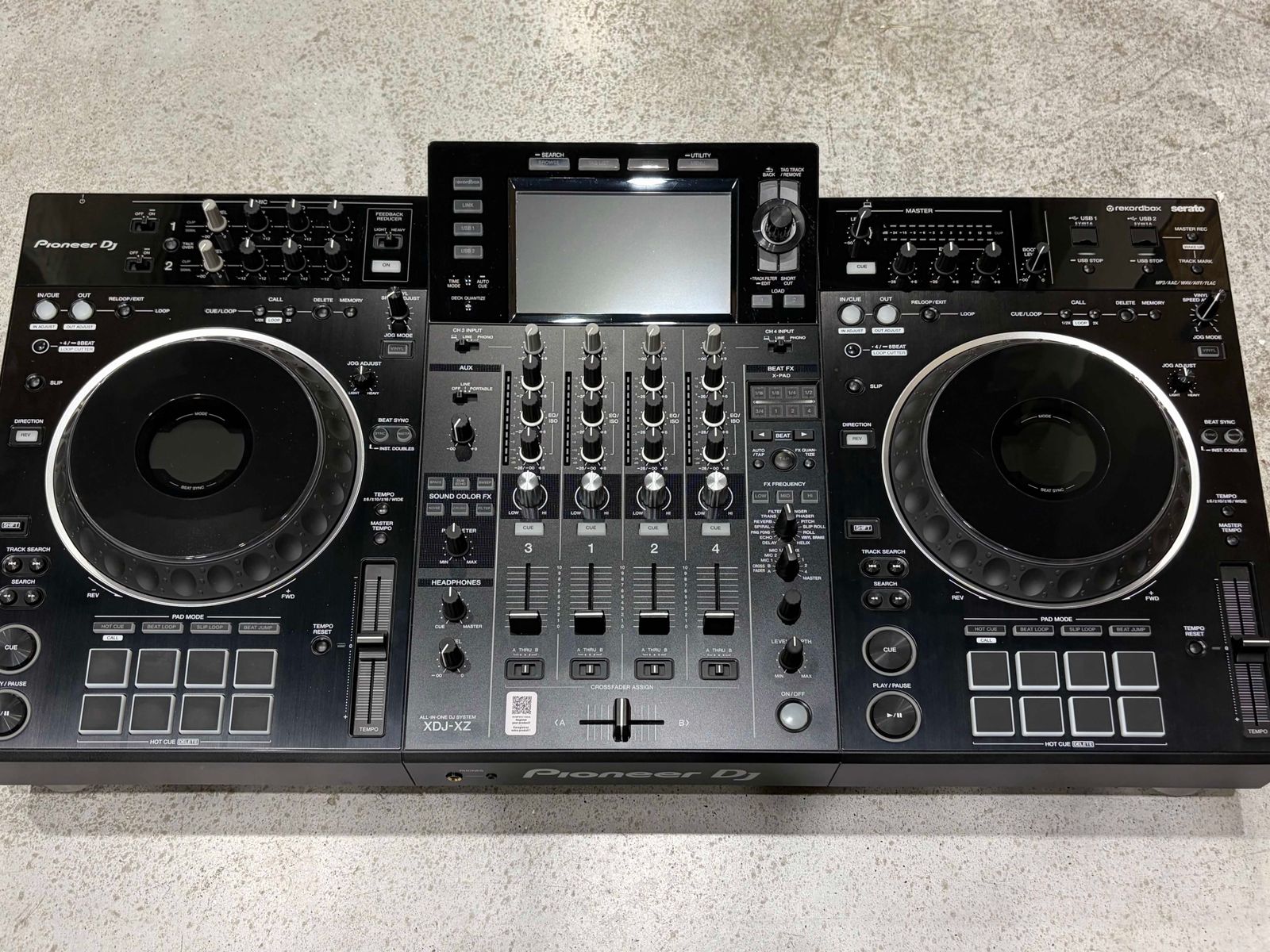
One of Pioneer DJ's most important all-in-one systems, and a machine we still rate very highly. Excellent build quality, jog wheels, mixer and reliability, with an experience close to a professional club setup. Its main limitation in 2026 is having only two internal standalone decks for USB playback.
AlphaTheta XDJ-AZ: 9.5/10
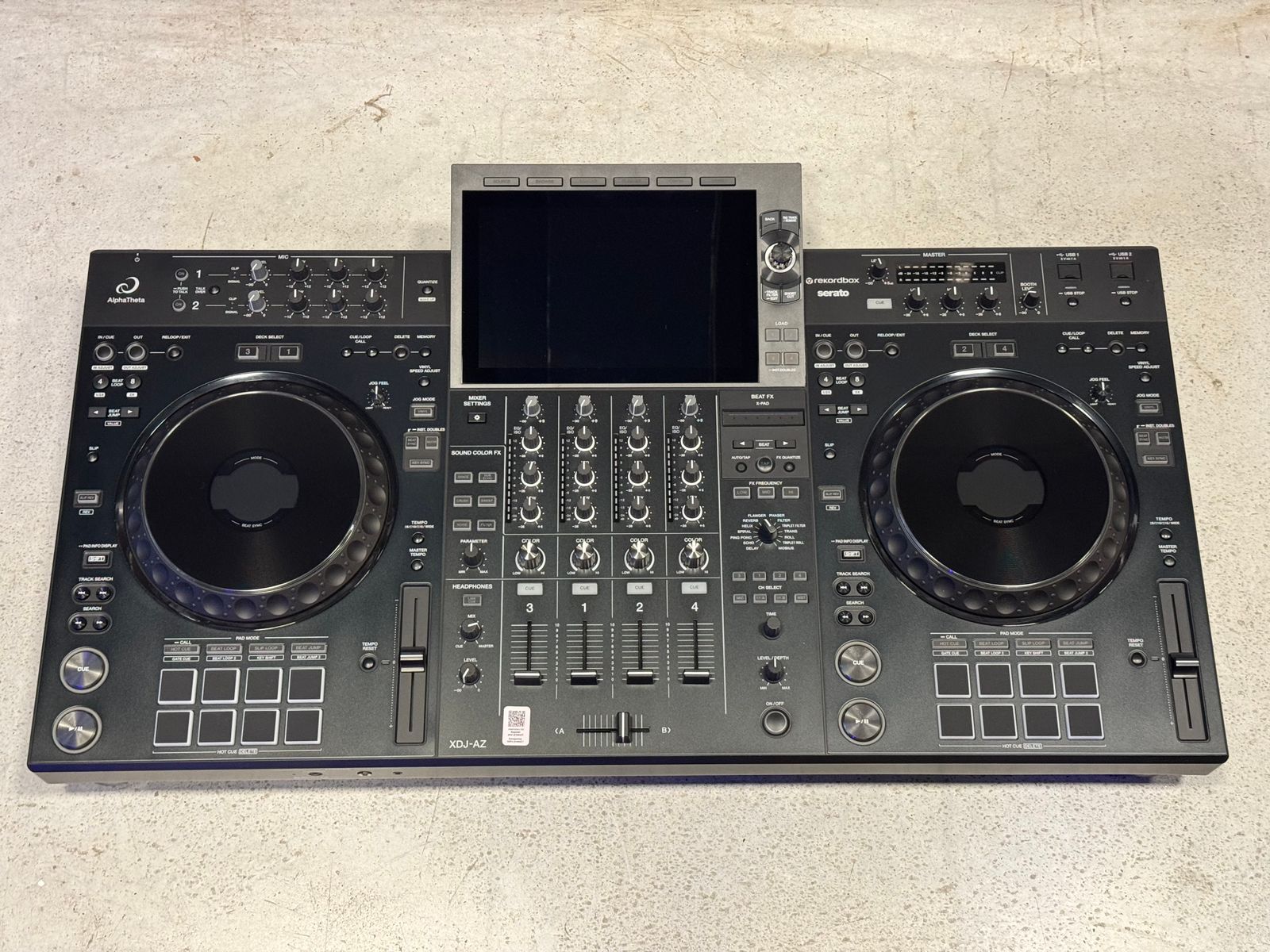
In our view, one of the best professional all-in-one systems available. It retains the club-style approach we like about the XZ, updated to the CDJ-3000/DJM-A9 generation, with four genuine standalone decks, a 10.1-inch screen and much broader connectivity. Our experience of its build quality and reliability so far is also very positive.
Pros and cons
XDJ-XZ
Pros
- Excellent build quality.
- Full-size 206 mm jog wheels.
- Jog Feeling Adjust.
- Four-channel mixer.
- Eight Performance Pads per deck.
- 14 Beat FX and six Sound Color FX.
- Pro DJ Link.
- Layout very close to a professional Pioneer DJ setup.
- Excellent reliability in our workshop experience.
- A very good option on the used market.
Cons
- Only two internal standalone decks from USB.
- Seven-inch screen.
- Previous-generation browsing.
- No Wi-Fi.
- No Bluetooth.
- Fewer features and connection options than the XDJ-AZ.
XDJ-AZ
Pros
- Four genuine standalone decks from USB.
- 10.1-inch touchscreen.
- Full-size 206 mm jog wheels.
- Jog Feeling Adjust.
- Four-channel mixer.
- Eight Performance Pads per deck.
- Layout inspired by the CDJ-3000 and DJM-A9.
- Pro DJ Link.
- Wi-Fi.
- Bluetooth.
- SonicLink.
- Connected playback features.
- Excellent build quality.
- Very positive reliability experience so far.
Cons
- Considerably more expensive than a used XDJ-XZ.
- Some advantages may be unnecessary if you only use two decks.
- As a much newer generation, it has a shorter long-term workshop history than the XDJ-XZ.
XDJ-XZ vs XDJ-AZ: key differences
| Feature | XDJ-XZ | XDJ-AZ |
|---|---|---|
| Type | All-in-one | All-in-one |
| Mixer channels | 4 | 4 |
| Standalone decks from USB | 2 | 4 |
| Screen | 7-inch touchscreen | 10.1-inch touchscreen |
| Jog wheels | 206 mm | 206 mm |
| Jog Feeling Adjust | Yes | Yes |
| Performance Pads | 8 per deck | 8 per deck |
| Sound Color FX | 6 | 6 |
| Beat FX | 14 | 14 |
| Pro DJ Link | Yes | Yes |
| Wi-Fi | No | Yes |
| Bluetooth | No | Yes, 5.3 |
| SonicLink | No | Yes |
| Computer USB connection | USB-B | USB-C |
| Weight | 13 kg | 13.5 kg |
| Sounds Market Score | 9.4/10 | 9.5/10 |
From the NXS2 generation to CDJ-3000 + DJM-A9
This is probably the clearest way to understand the difference. The XDJ-XZ was designed to feel very close to Pioneer DJ's professional NXS2 setup. Its familiar layout, full-size jog wheels, professional mixer section, Beat FX, Sound Color FX and Pro DJ Link made it an excellent choice for practising at home on controls similar to those found in clubs.
The XDJ-AZ updates that concept. AlphaTheta has brought across many design and workflow elements from the CDJ-3000 + DJM-A9 generation.
An AZ is not literally two CDJ-3000s and a DJM-A9 in one enclosure, but its feel, control layout and way of working are much closer to that generation. Moving from an AZ at home to CDJ-3000s and a DJM-A9 in a club feels particularly natural.
Two vs four standalone decks: the biggest difference
This was arguably the hardest limitation to justify on the XDJ-XZ. It has a four-channel mixer, but only two internal decks when playing from USB. Channels 3 and 4 can be used with external players and other sources, and software allows four-deck control. Connecting just a USB stick still leaves you with two internal players.
The XDJ-AZ provides four genuine standalone decks from USB. You can load and play four tracks using the unit alone, without a computer or two additional players. All four mixer channels can finally be used fully within the standalone system.
For DJs who regularly mix on three or four decks, this is a major difference and one of the main reasons we consider the AZ a substantial upgrade.
Screen and browsing: an immediately visible improvement
The XDJ-XZ has a seven-inch touchscreen; the XDJ-AZ increases that to 10.1 inches. The extra space shows much more information and makes a four-deck set considerably easier to manage. Library browsing also feels more modern.
We have never considered the XZ's screen poor. It does its job and has supported laptop-free performances for years. Use the two systems back to back, however, and the generational difference is obvious. The AZ's screen is clearly better.
The library system differs too. The XDJ-AZ uses the newer OneLibrary format, while the XDJ-XZ uses Device Library. Current rekordbox versions can export both formats to the same USB stick, making it much easier to move between generations than during the initial transition.
Jog wheels and feel
The difference is much smaller here. Both systems use full-size 206 mm jog wheels with Jog Feeling Adjust resistance control. The jog wheels have always been one of the XZ's strengths, and the AZ maintains that excellent standard.
The AZ's overall deck layout is closer to the CDJ-3000 generation, making the complete experience more familiar if you regularly play on that club setup. The jog wheels themselves would not be a major reason for us to upgrade. Both are excellent; the bigger changes are around them.
Performance Pads: an important difference from the OPUS-QUAD
The XDJ-AZ retains a feature we particularly appreciate on the XZ: Performance Pads below each jog wheel. Both have eight per deck.
This distinguishes the AZ from the OPUS-QUAD, which replaces the Performance Pad area with eight physical Hot Cue buttons above each deck. The AZ keeps the XZ's multifunction pads, so this part of the workflow remains familiar when moving across.
Mixer and effects
The XDJ-XZ already has an excellent mixer section. Four channels, six Sound Color FX and 14 Beat FX still cover practically everything needed for a professional set.
The XDJ-AZ offers the same effect counts, although some of the available effects have changed. We would not upgrade for this reason alone. The bigger difference is how the mixer fits into a more modern system, with all four channels now available to the four internal standalone decks.
The XZ pairs an excellent four-channel mixer with two internal decks. The AZ completes that idea with four decks and four channels in standalone operation.
Connectivity: the AZ belongs to a newer generation
The XDJ-XZ has comprehensive professional connectivity, including Pro DJ Link, which is particularly useful for integrating external CDJ players.
The XDJ-AZ retains Pro DJ Link and adds built-in Wi-Fi, Bluetooth 5.3 and SonicLink. It also switches to USB-C for the computer connection. Wireless connectivity opens up additional ways to manage and play music, including connected rekordbox features and compatible streaming services.
We would not see Wi-Fi or Bluetooth alone as sufficient reasons to change systems. Combined with the other improvements, though, they help make the AZ feel like a much newer product.
The Sounds Market workshop's view
We have worked on many XDJ-XZ units, and our overall view of their reliability is very positive. Build quality is excellent, the jog wheels withstand intensive use well, and we have not identified a serious structural issue that makes the XZ a problematic model.
As with any professional DJ equipment used for many hours, buttons and other components can wear. Overall, however, it is a particularly robust machine.
Our experience with the XDJ-AZ is naturally more limited because it has spent less time on the market. So far, our impression is also very good. We have not needed to carry out significant hardware repairs on the units we have handled, and we rate the construction highly.
There were some firmware-related problems in the early months, which prompted discussion around the launch. Updates progressively addressed those issues and, based on our current experience, we would not consider them a reason to avoid the AZ.
At present, our workshop experience gives us no reason to prefer the XZ over the AZ. The XZ's advantage here is the much larger number of units and years of use behind its excellent long-term reliability record.
Price: the XDJ-XZ's strongest argument
Technologically, the XDJ-AZ wins this comparison for us. The more interesting question is how much you are willing to pay for the improvement.
The XZ has been available for years, with plenty of used units on the market. That makes it possible to find one for considerably less than an AZ. If you find a well-kept XZ at a substantial saving and normally mix with two decks, it remains an excellent purchase. You do not need an AZ simply because it is newer.
If budget is not the main constraint and you are choosing a system for the next few years, we would choose the AZ. The extra money buys four genuine standalone decks, a more modern platform, better connectivity and a feel closer to current professional club setups, alongside the larger screen.
Is upgrading from an XDJ-XZ to an XDJ-AZ worth it?
It mainly depends on how you use your XZ. If you usually work with two decks, are happy with the screen and do not need the new functions, an upgrade is not essential. The XZ remains an excellent machine.
The step up makes more sense if you use four decks, want a feel closer to CDJ-3000 + DJM-A9, or want to update your main system for the coming years. The AZ addresses the XZ's main structural limitation and modernises almost everything around it.
Who would we recommend each one to?
Buy the XDJ-XZ if...
- You want to spend less.
- You want strong value from a used unit.
- You normally mix with two decks.
- You want a professional machine with a very well-established track record.
- Robustness matters particularly to you.
- You do not need the new wireless features.
- You want a feel close to a professional Pioneer DJ setup without paying AZ prices.
Buy the XDJ-AZ if...
- You want the better of the two machines.
- You need four genuine standalone decks.
- You want a 10.1-inch screen.
- You regularly work with three or four decks.
- You want a feel close to CDJ-3000 + DJM-A9.
- You want Wi-Fi, Bluetooth and SonicLink.
- You want a more modern platform for the coming years.
- Your budget can stretch to it.
Comparison scores
The category scores are relative to the products compared in this guide.
| Category | XDJ-XZ | XDJ-AZ |
|---|---|---|
| Jog wheels | 9.5/10 | 9.5/10 |
| Mixer | 9.5/10 | 10/10 |
| Screen and browsing | 8/10 | 10/10 |
| Standalone features | 8/10 | 10/10 |
| Effects | 9.5/10 | 9.5/10 |
| Build quality | 9.5/10 | 9.5/10 |
| Proven reliability | 10/10 | 9/10 |
| Club experience | 9.5/10 | 10/10 |
| Connectivity | 9/10 | 10/10 |
| Used value for money | 9.5/10 | 9/10 |
| Sounds Market Score | 9.4/10 | 9.5/10 |
The Sounds Market Score is our independent overall assessment of a product, considering its quality, construction, features, reliability and position within its category. It is not a ranking against the newest available model or an arithmetic average of the category scores.
What other comparisons often leave out
Four mixer channels do not mean four standalone decks. The XZ still has only two internal USB decks. The AZ lets you use all four without adding players or a computer.
An upgrade is not always necessary. If you use two decks and are happy with your XZ, many of the AZ's improvements will not radically change how you DJ. The XZ has not stopped being good because its successor exists.
The AZ has a shorter workshop history. Our experience so far is very positive, without recurring hardware problems in the units we have handled. We nevertheless know much more about how the XZ ages after thousands of hours.
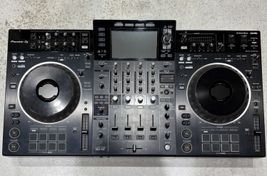
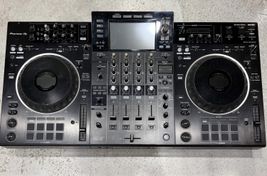
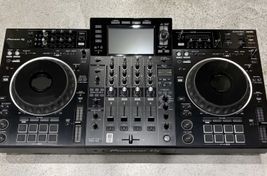
Pioneer XDJ XZ currently available
See all ->

Frequently asked questions
Which is better, the XDJ-XZ or XDJ-AZ?
The XDJ-AZ. It is a newer generation, with four standalone decks from USB, a 10.1-inch screen and better connectivity. If budget is not an issue, it is our choice.
Can the XDJ-AZ use four decks from USB?
Yes. The XDJ-AZ can control four decks directly from USB devices without a computer or external players.
Can the XDJ-XZ use four standalone decks?
No. It has four mixer channels but only two internal USB decks. The additional channels can be used with external sources or through software.
Does the XDJ-AZ feel like using CDJ-3000s and a DJM-A9?
It is one of the all-in-one systems that comes closest to that experience. Its layout and feel are inspired by the CDJ-3000 and DJM-A9, although it remains an all-in-one system rather than a modular setup of three separate units.
Which has better jog wheels?
Both use full-size 206 mm jog wheels with Jog Feeling Adjust and offer an excellent experience. We would not consider the jog wheels a deciding factor between them.
Which has the better screen?
The XDJ-AZ, clearly. Its 10.1-inch touchscreen is a substantial improvement over the XZ's seven-inch display, especially when working with four decks.
Is it worth replacing an XDJ-XZ with an XDJ-AZ?
It can be very worthwhile if you work with four decks, want a feel closer to the CDJ-3000/DJM-A9 generation, or want to update your system for the coming years.
If you normally use two decks and are happy with your XZ, the upgrade is much less necessary.
Which would Sounds Market buy?
If the budget allows either, we would buy the XDJ-AZ. The XDJ-XZ remains excellent and can offer very good used value, but the AZ is clearly the more complete system.
Thinking of upgrading your equipment?
If you own an XDJ-XZ, XDJ-AZ or other DJ equipment, you can sell it directly to Sounds Market or use it in part exchange towards your next setup.
Get an offer for my equipment →
Verdict: XDJ-XZ or XDJ-AZ?
For us, this comparison has a clear winner. The XDJ-XZ remains an excellent all-in-one system, with build quality, jog wheels, mixer and reliability that make it easy to recommend, particularly at attractive used prices.
The XDJ-AZ is the better machine. It retains much of what made the XZ so good and addresses its main limitation with four genuine standalone decks. Add a 10.1-inch screen, a more modern platform, Wi-Fi, Bluetooth, SonicLink and a feel much closer to the CDJ-3000 + DJM-A9 generation, and the improvement is substantial.
If you already own an XZ and only use two decks, there is no urgent need to replace it. If you are choosing between the two and can afford the price difference, we would buy the XDJ-AZ.
- Best screen: XDJ-AZ
- Best for four standalone decks: XDJ-AZ
- Best connectivity: XDJ-AZ
- Most modern: XDJ-AZ
- Closest to a current club setup: XDJ-AZ
- Most proven long-term reliability: XDJ-XZ
- Best buy if you want to spend less: XDJ-XZ
- Best overall machine: XDJ-AZ
- Sounds Market's choice: XDJ-AZ